Method 1. For computers with WinRAR already installed
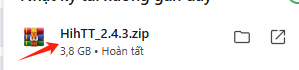
Left click to open the application
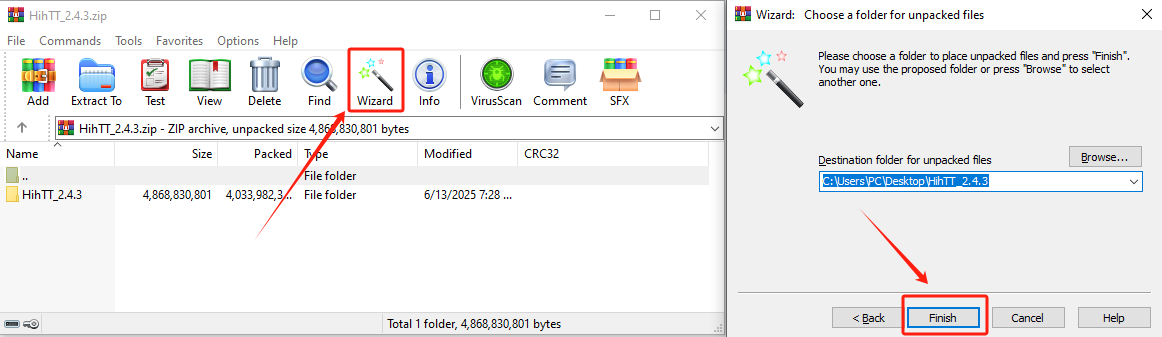
- Select the Wizard icon and click Finish to start extracting the files.
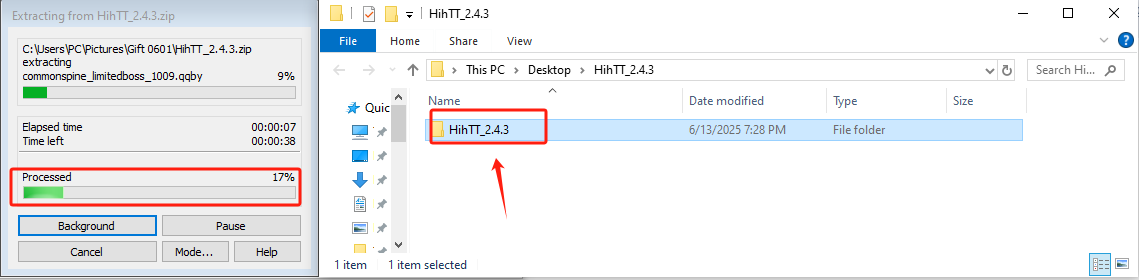
- Wait a few minutes. Once the extraction process is completed successfully, the game folder will open automatically.
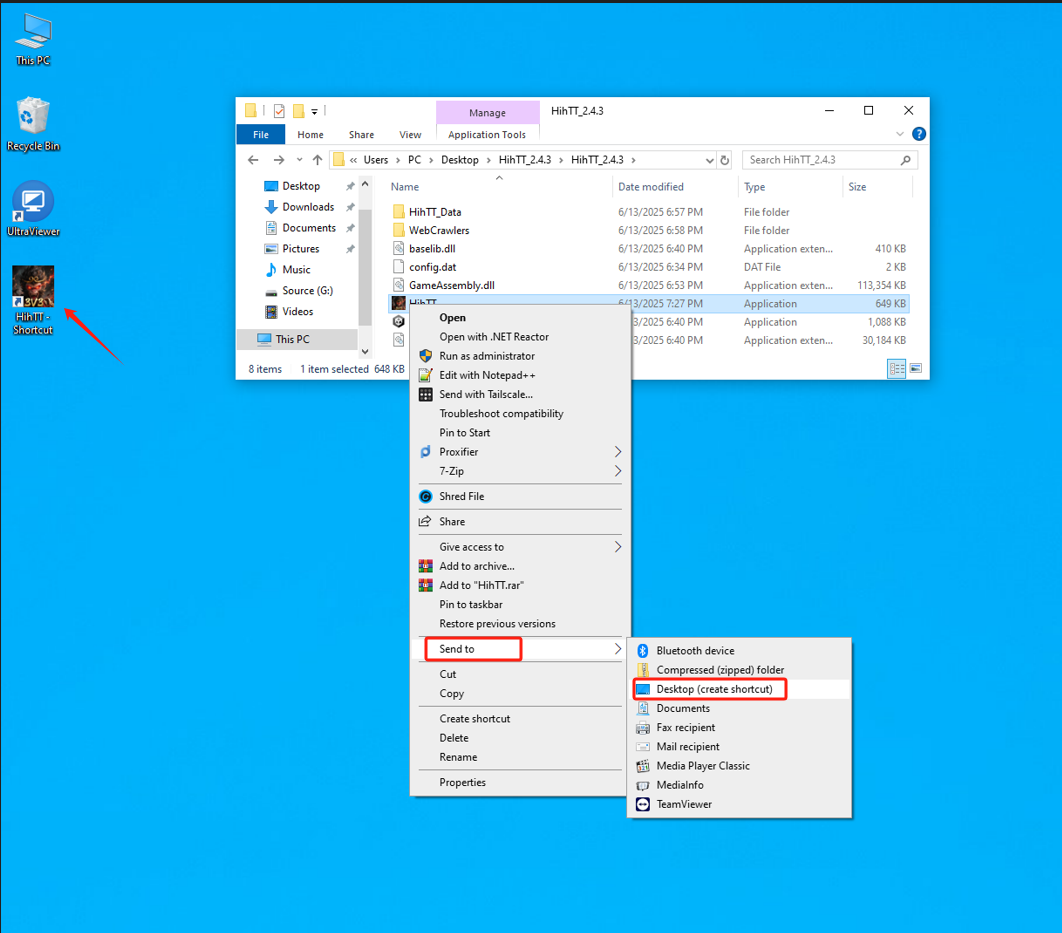
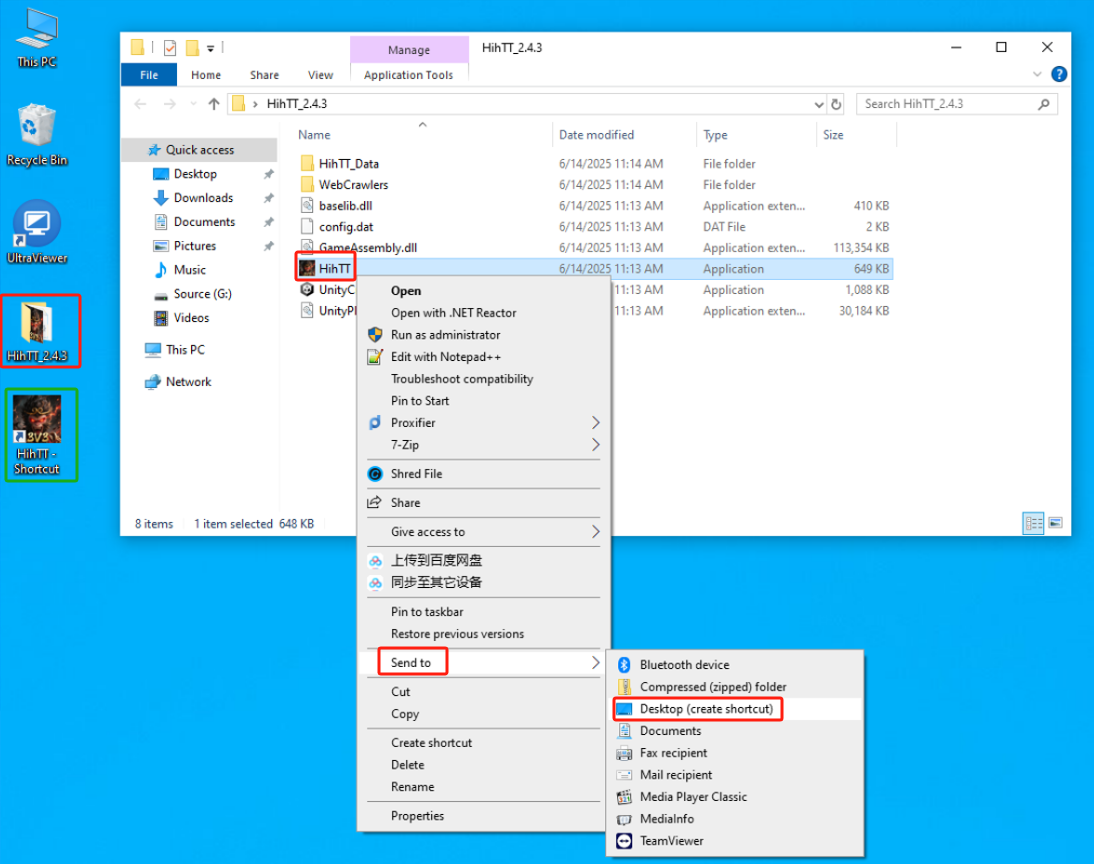
- Open the game folder, right-click the game icon, then select Send to > Desktop to create a shortcut on your desktop.
Method 2. For computers without WinRAR installed
- Left click to open the downloaded application/game.
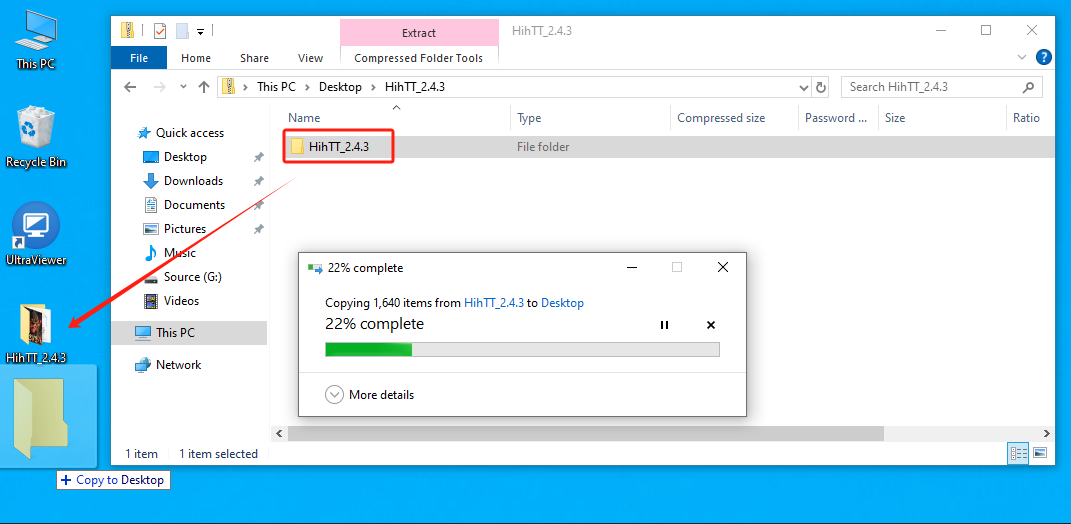
- Hold the left mouse button and drag the folder to your Desktop.
- Open the game folder, right-click the game icon, then choose Send to > Desktop to create a shortcut on your desktop.
4. Video Tutorial


